Our Work
Proof, not promises.
A few of the systems we have shipped, and exactly what changed because of them. Client names are kept generic by request, but the engineering, the platforms, and the numbers are real.
Rebuilding a runaway AI classification pipeline
The problem. A document-classification workflow built on a no-code AI platform cost about $4,000 per run and quietly racked up overages before anyone was alerted. Projected to the volume the business actually needed, that line item ran toward six figures, with no visibility into spend.
Read only what matters
A page-capped preprocessing envelope trims every contract down to the text that actually carries the classification signal, instead of paying to read all thirty-plus pages.
Right-size the models
Rebuilt as an Azure AI Foundry hosted agent that routes each task to the smallest capable model, with prompt-injection hardening, rather than one premium model for everything.
Warm, batched, watched
A warm-session batching layer kills cold-start latency for concurrent throughput at near-zero standing cost, and real-time cost alerts mean no silent overruns.
The rebuilt pipeline: only the signal-bearing text is read, each task is routed to a right-sized model, and spend is watched in real time.
Same accuracy, a fraction of a cent per document, and a job once projected at $320,000 brought in for the price of a nice dinner.
Invoice AI: email in, invoice out
The build. A client-facing web app, built for a sample marketing studio, that reads a Gmail inbox, uses Google Gemini 2.0 Flash to pull the invoice details out of an email, and sends a clean, styled HTML invoice straight back to the client from Gmail. It is plain vanilla HTML, CSS, and JavaScript on top of Google Workspace and Gemini, so a small business runs its whole invoicing flow in one place instead of bouncing between tabs.
Why it matters. It shows range. This is a real build by Aidan that wires a business's existing Google tools, Gmail, Calendar, Contacts, Sheets, and Drive, into a single invoicing app, with a dashboard that tracks revenue, aging, and overdue accounts on top.
Email in, invoice out
Gemini 2.0 Flash reads the email, extracts the line items and amounts, and drafts the invoice. You review it, then it goes out as a styled HTML invoice straight from Gmail.
Wired into your Google tools
Gmail to read and send, Calendar to push due dates with 1-day and 3-day reminders, Contacts to autofill clients, Sheets for one-click backup, Drive to search files. All through OAuth, least-privilege scopes only.
Sees the whole picture
A dashboard with a revenue-over-time chart, status breakdown, invoice aging, and overdue and credit-limit alerts. Recurring invoices, templates, partial payments with a running balance, plus CSV and PDF export.
One pass: Gemini reads the email and drafts the invoice, then it goes out from Gmail, lands a due-date reminder on Calendar, backs up to Sheets, and starts tracking the payment.
A small business's own Google tools, wired into one app, so an email becomes a sent, tracked invoice in a few clicks. Honest scope, real build.
Atlas: one conversation across every tool
The problem. A several-thousand-employee enterprise had its institutional knowledge scattered across the usual stack, Teams, Outlook, SharePoint, OneDrive, GitHub, ServiceNow, SailPoint, even the monitoring in New Relic. Getting one answer meant hopping platforms, and context lived in whichever tab someone last had open.
The build. We built Atlas, an AI agent on Microsoft Copilot Studio and Azure AI Foundry that puts those platforms behind a single conversation. Ask Atlas, and it retrieves from and acts across the connected systems, so the tools come to the person instead of the person chasing the tools.
Your team just asks. Atlas sits behind a governed OAuth 2.0 / RBAC layer and a self-hosted OCI MCP server, reaching each system — Microsoft 365, GitHub, ServiceNow, SailPoint, New Relic — only with the permissions of the person asking.
MCP-connected tools
Every platform is wired in through Model Context Protocol tools and Azure Function orchestration.
Identity-aware
OAuth 2.0 and RBAC govern every call, so Atlas only ever sees what the person asking is allowed to.
Built to pass review
Cleared a formal Architecture Review Board and advanced into pilot deployment.
The gap was never the tools, it was that they all lived in different places. Atlas closes it, one conversation that reaches the whole stack.
Modernizing monitoring for a several-thousand-person enterprise
The problem. An enterprise was running on legacy monitoring with noisy alerts and blind spots, with a high-visibility website launch on the calendar. Big launches fail in public, so this had to be solid before go-live.
Migrate off legacy
Moved 800+ network and infrastructure devices from ScienceLogic to New Relic and onboarded 250+ UPS systems into modern, queryable monitoring.
Dashboards & synthetics
Built dashboards, synthetic monitors, and tuned alerting for websites, applications, and internal platforms, so signal rose and noise fell.
Automate the toil
Wrote automation that eliminated roughly 100 support tickets a month and secured credentials with Azure Key Vault for containerized apps.
We wired up the watchtower
Dashboards, synthetic checks, and tuned alerting so every critical path, checkout, forms, page loads, was watched.
Eyes on, in real time
The team watched uptime, performance, and errors live, ready to act in seconds instead of hearing about a problem from a customer hours later.
Caught before customers
Issues got spotted and handled before users noticed, and the stack held steady through the post-launch traffic peak.
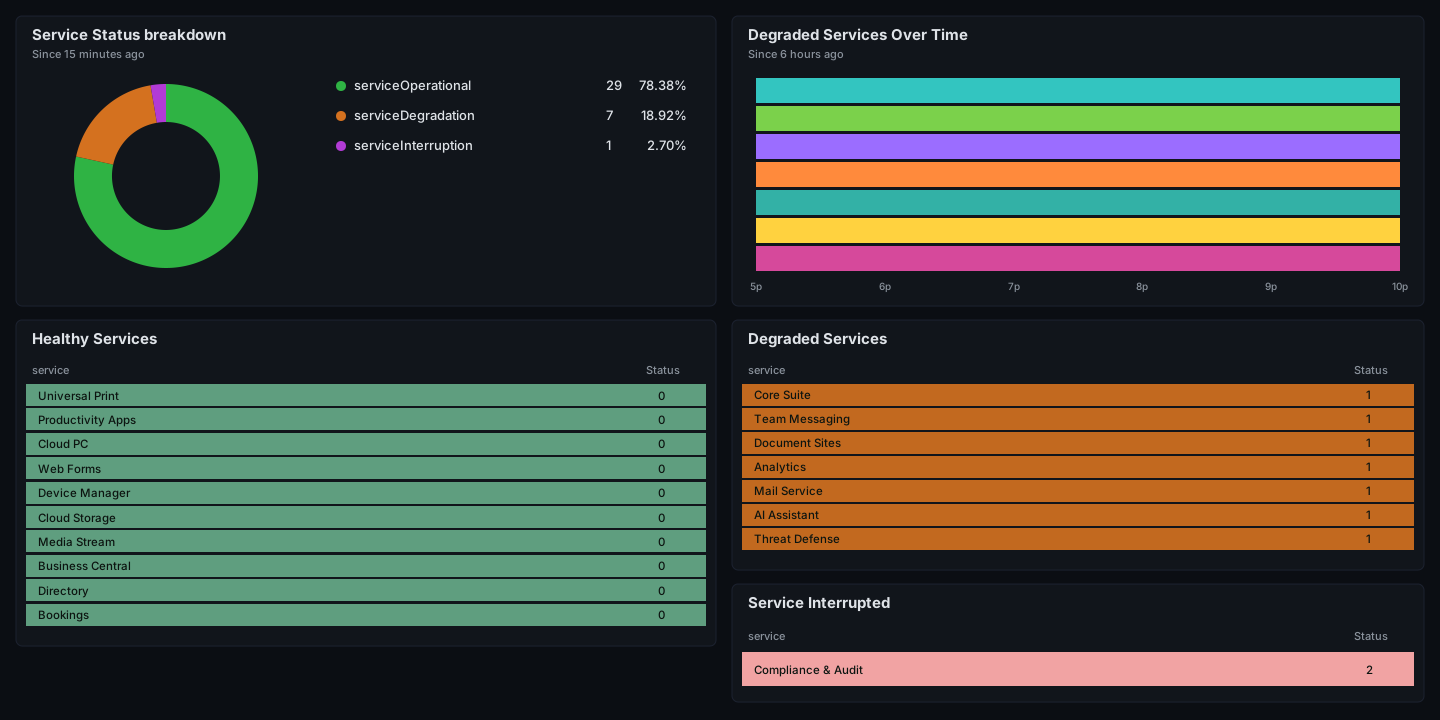
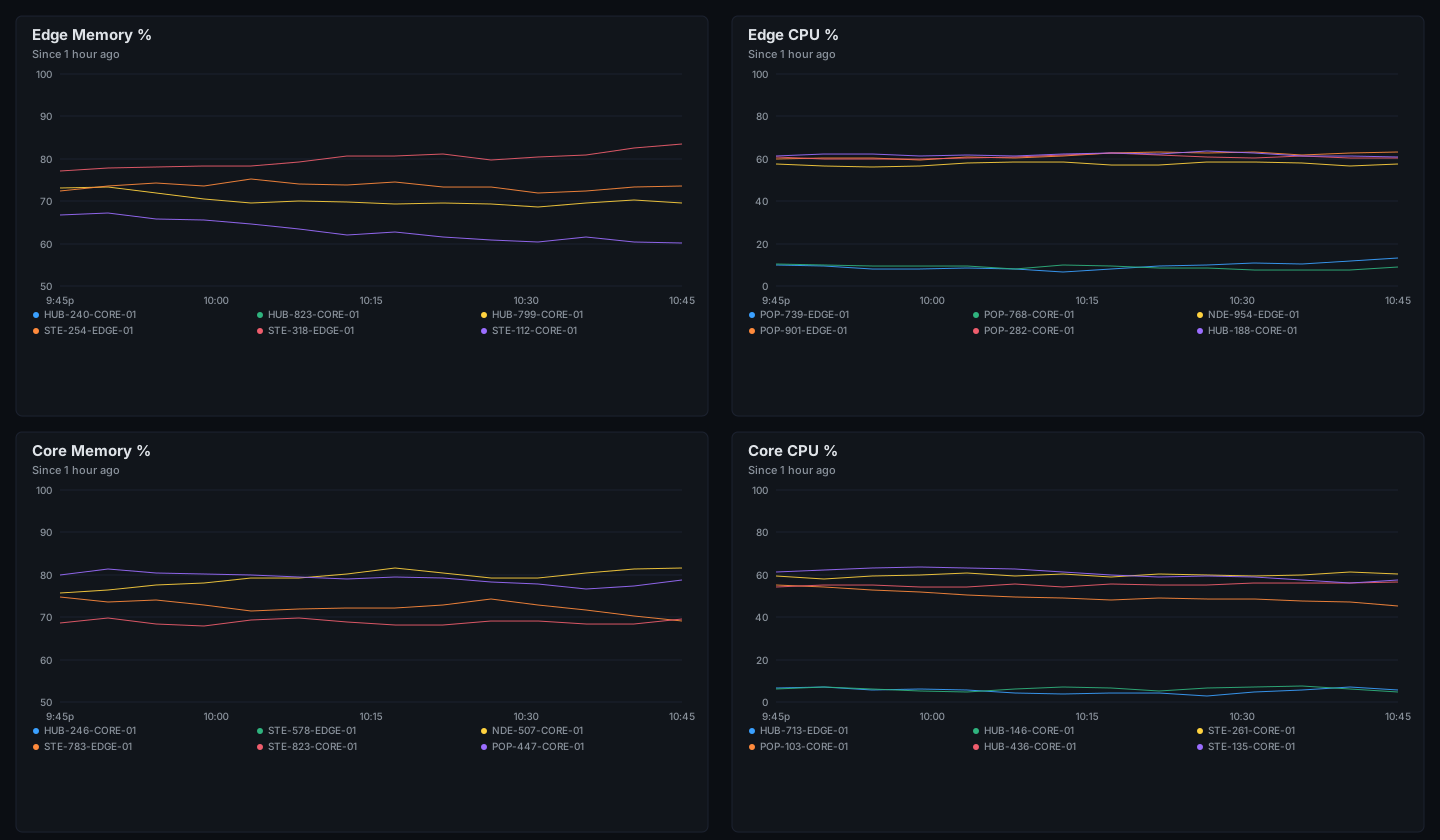
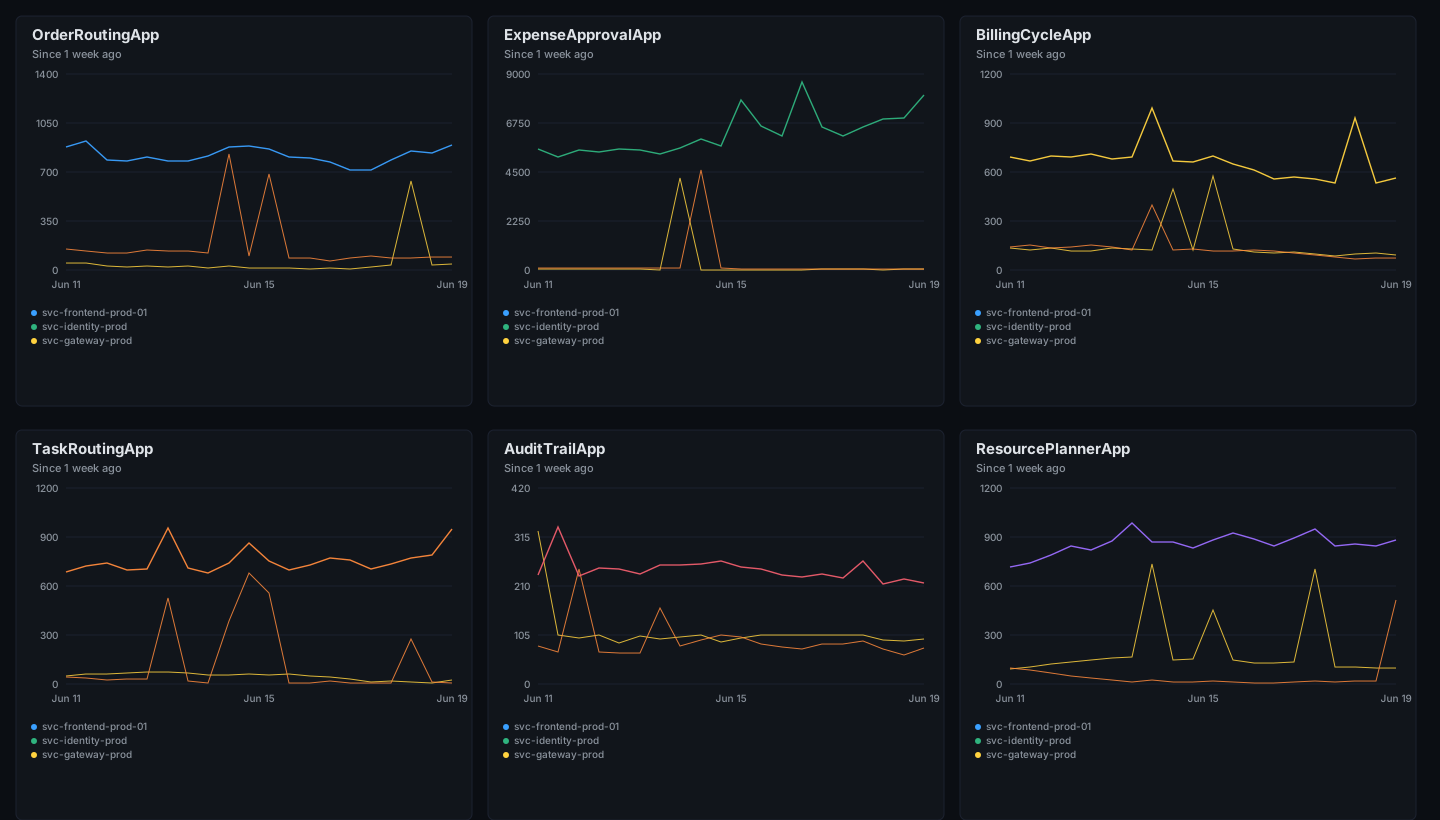
Representative dashboards, recreated in the same style with synthetic data. Real client systems and identifiers are not shown.
Full builds, designed and shipped end to end
Three complete sample sites we designed and built from scratch, each for a different kind of local business, to show range, not a template. They are live and fully responsive, so click through and poke around.


Aidan delivered dependable automation and monitoring improvements that reduced risk and improved visibility for our critical systems.
multi-thousand-employee organization
Their work on secure Azure integrations and AI workflows helped our organization move faster while keeping data and identity controls intact.
enterprise integration program
Clear dashboards and automation reduced our ticket volume significantly and helped our team stay ahead of production issues.
enterprise operations
Build something polished, useful, and reliable.
Start with a project request or book a discovery call if you want to talk through the best next move first.